



Call
Hours & Maps

Get Hours and Directions

x

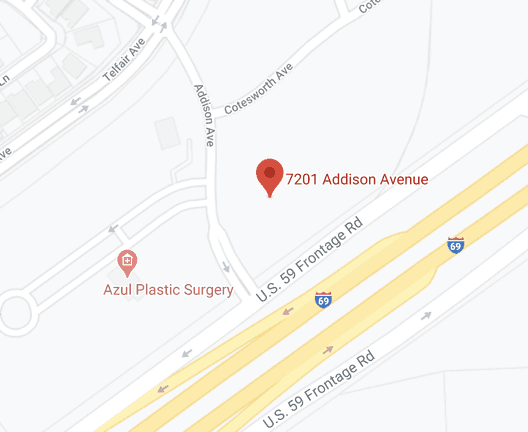
7201 Addison Ave, Sugar Land, TX, 77479

Get Directions dealer map
Dealership Info

Phone Numbers:Online Showroom Hours:
  • Mon - Sun12:00 AM - 12:00 AM
    (Always Open for Online Shopping)
Sales Hours:
  • Mon - Fri9:00 AM - 7:00 PM
  • Sat9:00 AM - 7:00 PM
  • SunClosed
Service Hours:
  • Mon - Fri7:00 AM - 6:00 PM
  • Sat7:00 AM - 5:00 PM
  • SunClosed
Parts Hours:
  • Mon - Fri7:00 AM - 6:00 PM
  • Sat7:00 AM - 5:00 PM
  • SunClosed
Service

Waze vs Apple Maps vs Google Maps


waze vs apple maps vs google maps

The Top GPS Navigation Applications for your Car

Identify the top GPS navigation applications for your car.

If you’re a driver of a certain age you might remember a time when you used directions that were printed, watching the odometer like a hawk to track the miles until your next exit, and a backup road atlas (for emergencies) to guide you on road trips. Nowadays, computerized NAV is available on almost every cell phone and vehicle. While most navigation services produce the same basic info, how and what information they present can vary greatly. With so many unique choices, how can one decide which one is the best navigation software for you? We’ve concluded that our top 3 choices are Google Maps vs. Waze vs. Apple Maps. Apple CarPlay® may feel like the frontrunner because it is available in so many new vehicles, but Waze and Google Maps have their own unique benefits as well.


Google Maps

Google

The most robust NAV app in this comparison is Google Maps because all of the data is provided by the Google search engine.

Google Maps Benefits

  • Traffic in real-time – See how much time that traffic jam is going to add to your trip.
  • Not only for cars – Google Maps can help you on your next bike trip, train ride, or walk.
  • Street View – View real images of your location on the map.
  • Download capable – Download your map. No cell service, no problem.

Apple Maps

Apple

Thanks to the CarPlay® integration with many brand-new cars, Apple Maps could very well be the easiest NAV app to use on the market. ​The one issue with Apple Maps is that it’s only found on iOS devices.

The Advantages

  • Pit Stops – Find attractions and fuel stations that are nearby.
  • Several options for NAV – Apple has map options for driving, walking, and public transportation.
  • Look Around by Apple – See both images and a map view of your location. Very useful if you are lost.

Waze

Waze

Waze was the first to feature some kind of user-generated traffic data, though other navigation apps now use the info too.

The Biggest Benefits

  • Not only directions – Receive info about road closures, accidents, and speed traps.
  • Integration with Facebook – Update your timeline with your location and share your road trip with friends and family.
  • Updates as they happen – User update info while they drive, that information is used to update the route to give the fastest way to your destination.

Our Results Are In, The Winner is:

It shouldn’t be a shock, but the best NAV Application really depends on what you need. If you get lost a lot, the Look Around feature on Apple Maps is beneficial. If you use Navigation to follow your next cycling road trip, Google Maps is for you. However, if you just need to get somewhere in the quickest time possible, then Waze is your best choice. Apple Maps, Waze, and Google Maps all have their own standout features and you can not go wrong with any of them.

Acura online car buying Houston TX

Shop New & Pre-Owned Cars at Group 1 Acura Sugar Land

Group 1 Acura Sugar Land is your local new and used car dealer serving the Houston, TX, area. Whether you’re looking for a great deal on a new, used, or certified pre-owned vehicle for sale, you’re sure to find something special. Visit us in person or online today. Our Acura specialists are ready to serve you.


Group 1 Acura Sugar Land 29.580561, -95.651003.